2026-10-06 · 14 min · video · webgpu · rust · browser-ml · creative-tools
Why read this
Notabletop 60%Separates the 92K-star rewrite scaffold from the archived editor that actually works, explains its integer-tick renderer and tests an export.
- Checked against the source
- Runs on a consumer GPU
- Widely used
Developer tools & infraMITPractitioner tool
How this was scored
- Is it new?
- 0 of 3: Repackaging or news of a known thing
- Can I trust it?
- 3 of 3: Reproduces the headline result, or shows from primary files it is wrong
- Can I run it?
- 2 of 3: Open code or weights with real limits
- Will I understand it?
- 2 of 3: Mechanism from first principles with figures
- Can I act on it?
- 2 of 3: A concrete recipe, numbers or comparison
- Will it last?
- 1 of 3: Relevant for months
- Does it affect many?
- 2 of 3: A widely used model, tool or lab release
- Only here?
- 2 of 3: A teardown or measurement few others did
Score 63 of 100, ranked 185 of 445 rated articles. Each question is answered 0–3 by hand, and a 3 is rare. How articles are scored
A post on X went around this week: "Someone open-sourced a free CapCut alternative with no watermarks. OpenCut packs multitrack editing, plugins, AI agents, automations, and cross-platform support into a free video editor with 92K GitHub stars." It links OpenCut-app/OpenCut. The thread has no follow-up posts. The most useful reply was not about features: "reopen a six-month-old project and export it without hunting for missing assets."
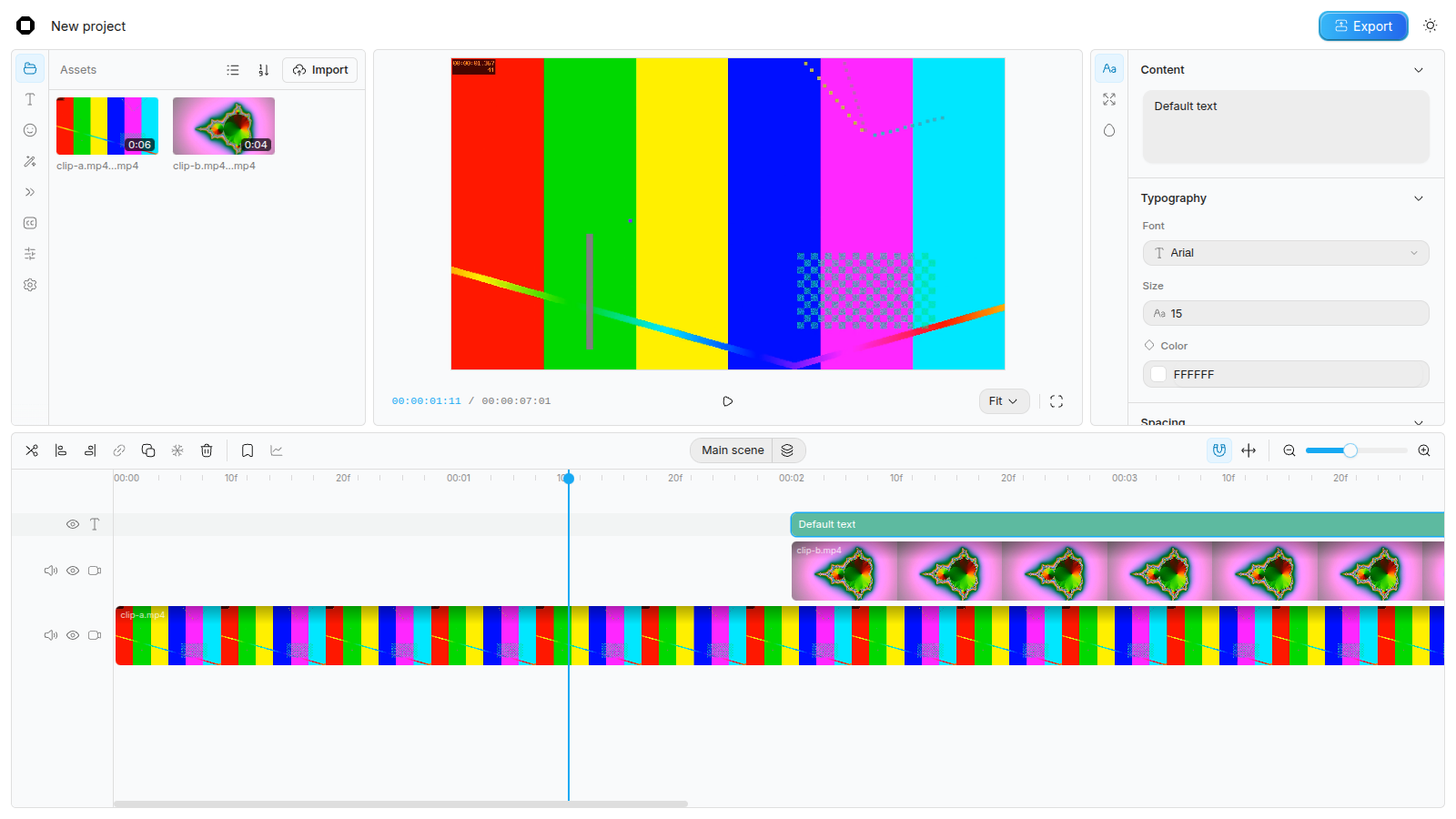
So I did three things. I cloned the linked repository at e668010 (2026-09-24). I cloned the one its README points to, OpenCut-app/opencut-classic, at cf5e79e (2026-05-17). And I used the hosted editor at opencut.app: imported two generated clips, added a text layer and exported. Every number below is labelled measured (I computed it from a file or a run), reported (someone else's figure, not re-run) or reasoned (my arithmetic on the other two).
The short version: the post merges two codebases. The editor you can open today lives in an archived repository. The plugins, the agents and the one-codebase-everywhere story are the README's list of what the rewrite will bring. The 92K stars sit on the rewrite.
- license
- MIT
- branch
- main
- tests
- none found
- source
- 266.3 kB
- commit date
- 2026-09-24
by size of tracked source at this commit, file counts in brackets; docs, data and vendored trees excluded
local clone, 2026-10-06 at e668010 — branch, commit, commitDate, fileCount, hasTests, languages, license, licenseFile, shallow
shallow clone: counts describe the pinned tree, not the history
Two repositories, one name
The linked repository's README opens with a status section. Its first line: "OpenCut is being rewritten from the ground up." Then a list under "What's coming": an Editor API, first-class third-party plugins, "Desktop, mobile, and browser from one codebase (Rust core)", an MCP server "for AI agents", a headless mode "automation, batch rendering", and a scripting tab. It then says the previous version, at opencut-classic, "is the one to reach for today", and that opencut.app still runs it.
That list is where the post's "plugins, AI agents, automations, and cross-platform support" come from. Here is what the rewrite contains today:
Path in OpenCut-app/OpenCut | What it is | Measured |
|---|---|---|
apps/web | TanStack Start + Vite. / renders hello world!. /editor renders Coming soon. | 2 routes |
apps/web/src/components/ui | Vendored shadcn/ui components | 6,763 lines |
apps/desktop | A GPUI app. Its README: "Very early. Right now this is just a window that opens." Panels named Timeline, Preview, Browser, Inspector each render their own name | 12 Rust files |
apps/api | An Elysia worker with /, /health and /echo | 15 lines |
crates/media | Only setup/: a script that fetches and checksums FFmpeg 8.1.3 for four platforms | no Rust source |
The whole checkout is 130 files (measured). Of its 10,498 non-lockfile lines, 6,763 are UI primitives (measured), so about 64% (reasoned). There is no timeline, no renderer and no plugin host yet. The README also says the project is "not set up to take outside contributions yet while the architecture is being designed."
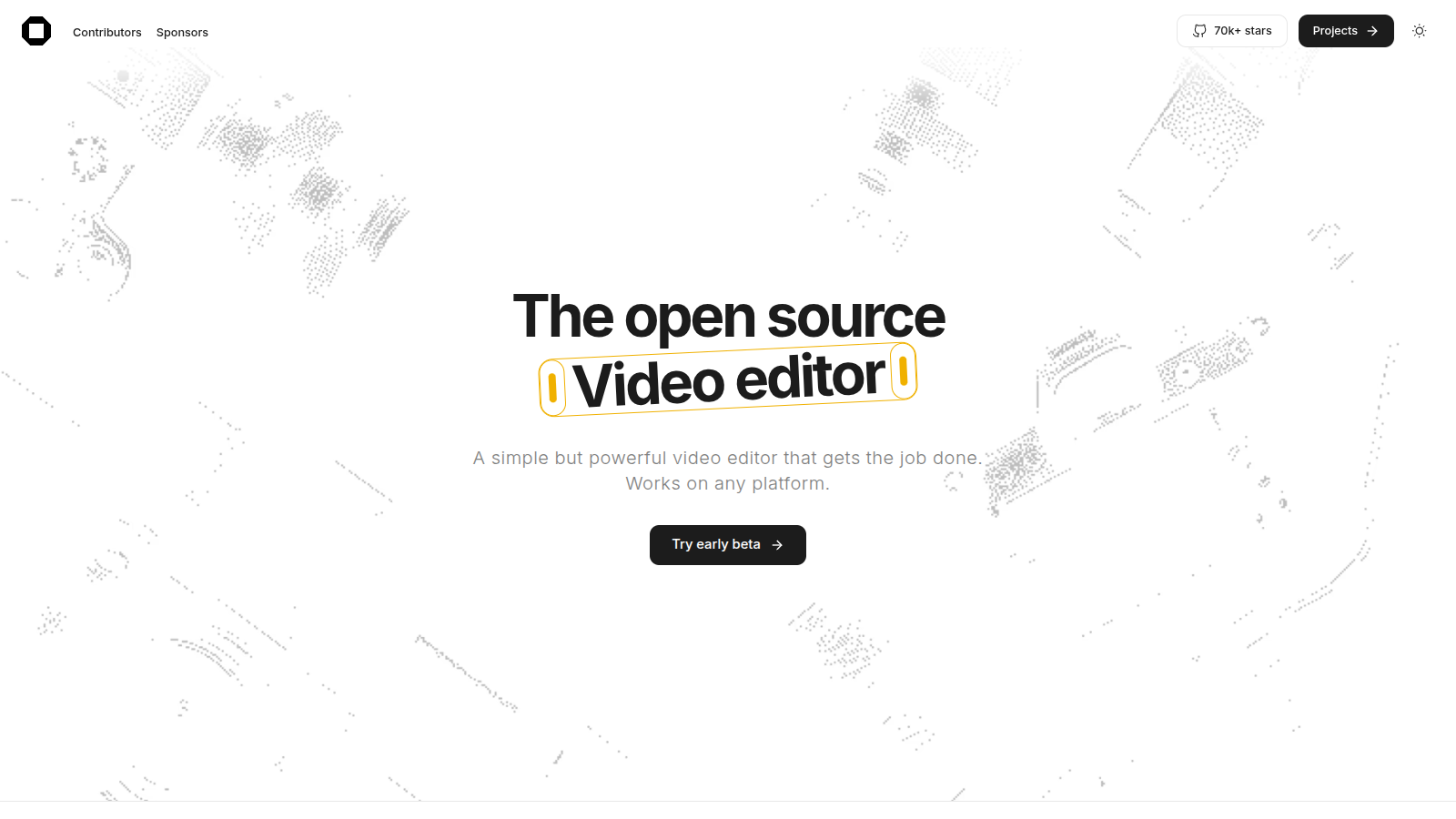
The star counts make the split sharper. GitHub's page showed 92.9K stars, 9.1K forks and 1,599 commits on the rewrite, and 265 stars, 339 forks and 1,567 commits on the classic repository, archived on 2026-05-17 (reported, read from github.com on 2026-10-06). The near-equal commit counts suggest the rewrite keeps the old history and replaced the tree, but a shallow clone cannot confirm that, so treat it as a guess. The stars followed the name, not the code. The landing page at opencut.app still says "70k+ stars" on its badge (measured, screenshot below).
The rewrite's one concrete technical decision is in crates/media/setup/ffmpeg.json. It pins FFmpeg 8.1.3 by source hash, plus prebuilt lgpl-shared builds for Windows and Linux on x86_64 and aarch64 (measured). Shared LGPL builds are the configuration that lets an MIT-licensed app link FFmpeg dynamically without taking on the GPL. A native core will decode with FFmpeg instead of the browser's codecs. That matters for the "one codebase" promise: a desktop app built on FFmpeg and a web app built on WebCodecs need two decode paths under one API. None of that exists yet.
The editor that exists
The classic repository is the editor. It is a Next.js 16 app with a Rust core compiled to WebAssembly: 685 TypeScript files holding 91,028 lines, plus 4,337 lines of Rust and 438 lines of WGSL shaders (measured). Everything below is read from that tree. I also ran it through the hosted copy at opencut.app, which says it runs the classic build. I did not build or run the code from the clone.
Time is an integer
The first decision is the one most editors get wrong early. rust/crates/time defines MediaTime as an i64 count of ticks, with TICKS_PER_SECOND = 120_000. A frame rate is a rational {numerator, denominator}, and a frame lasts
The crate's own test fixes the values: 5,005 ticks at 23.976, 5,000 at 24, 4,800 at 25, 4,004 at 29.97, 4,000 at 30, 2,002 at 59.94, 2,000 at 60 and 1,000 at 120 (measured, from frame_rate.rs). ticks_per_frame returns None when the division is not exact, so a rate like 7/3 is rejected rather than rounded.
Why bother? NTSC's 29.97 is really 30000/1001. Frame n starts at n × 1001/30000 seconds. That number has no exact binary floating-point form, so a float timeline drifts off frame boundaries and two clips that should abut overlap by a sliver. At 4,004 ticks a frame, every frame boundary is an exact integer (reasoned). The changelog for 0.3.0 says the same: floats "accumulated rounding errors and made frame alignment imprecise."
The timeline model
timeline/types.ts defines a scene as three fields, not a flat list:
// apps/web/src/timeline/types.ts (opencut-classic)
export interface SceneTracks {
  overlay: OverlayTrack[];   // video, text, graphic or effect tracks
  main: VideoTrack;          // exactly one
  audio: AudioTrack[];
}
The type makes a few mistakes impossible: there is always one main video track, and audio tracks cannot sit between video layers. Every element carries the same four times, all in ticks: startTime (where it sits on the timeline), duration (how long it occupies), trimStart and trimEnd (how much of the source is cut from each end). Video and audio may carry retime: { rate, maintainPitch }, with the rate clamped to 0.01 to 5 (measured, retime/rate.ts). Effects are either attached to a clip or placed as their own elements on an effect track, where they apply to everything beneath them.
Drawing one frame
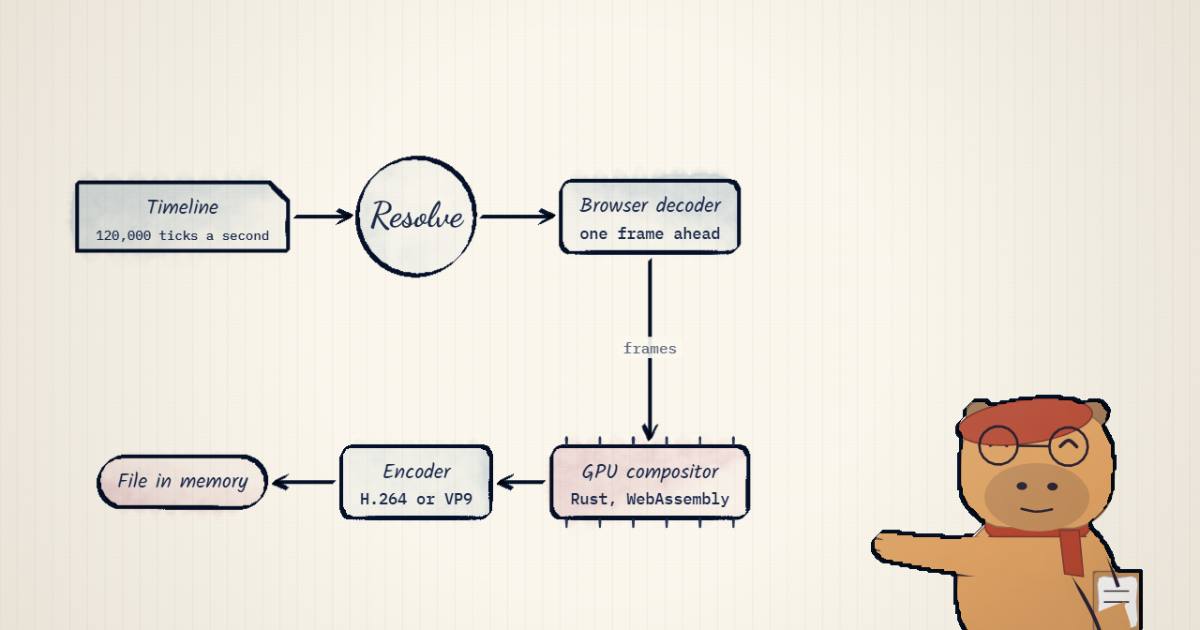
To draw time t, scene-builder.ts turns the scene into a tree of render nodes. The background goes first (a solid colour, or a blurred copy of the main track). The tracks go on top, from the main track upward. Then resolve.ts visits each node and does this arithmetic:
If clipTime falls outside [0, duration), the node is skipped. Otherwise a video node asks the decoder for the source frame at sourceTime. The widget below runs exactly this on a three-element project: drag the playhead, trim clip A's head, change clip B's speed, switch the frame rate, and watch which elements are drawn and which source frame each one requests.
| element | clipTime = t − start | sourceTime = trim + clipTime × rate | drawn? |
|---|---|---|---|
| clip-a.mp4 | 300,000 | 360,000 ticks → decode frame at 3.000 s | yes |
| clip-b.mp4 | 60,000 | 60,000 ticks → decode frame at 0.500 s | yes |
| Default text | 60,000 | (text: drawn, no decode) | yes |
composite, bottom to top: background → clip-a.mp4 → clip-b.mp4 → Default text
one frame at 30 fps: 120,000 × 1 ÷ 30 = 4,000 ticks. Export renders floor(840,000 ÷ 4,000) = 210 frames, one at a time.
The rest is three subsystems:
- Decode.
services/video-cachewraps mediabunny'sCanvasSink, which sits on WebCodecs'VideoDecoder. It holds the current frame and prefetches the next. A seek bumps a generation counter so a stale decode cannot overwrite a newer one. There is no FFmpeg anywhere in the classic tree (measured, by search). - Composite.
opencut-wasmis the Rust workspace compiled withwasm-bindgen. Itsgpucrate askswgpu29 for a WebGPU adapter and falls back to WebGL2 (Backends::GL) when there is none (measured,gpu/src/context.rs). Thecompositorcrate draws layers with blend modes.effectsholds one effect shader, a Gaussian blur run as horizontal and vertical passes.masksfeathers mask edges with a jump-flood distance field. TypeScript decides which passes to run and with which uniforms; Rust owns the device, textures and passes. - Audio. At export,
createTimelineAudioBuffermixes every unmuted audio element into one stereo buffer at 44,100 Hz (measured,media/audio.ts). Clips withmaintainPitchare stretched through anOfflineAudioContextwith SoundTouch.
Export: the same loop, written to a file
scene-exporter.ts is 171 lines. It computes frameCount = floor(duration / ticksPerFrame), then for each frame calls the same render() the preview uses and hands the compositor's canvas to mediabunny's CanvasSource. That encodes through WebCodecs' VideoEncoder: H.264 for MP4, VP9 for WebM, at one of four quality presets. Audio is AAC for MP4, with a capability check that falls back to Opus when the browser cannot encode AAC. The muxer writes into a BufferTarget, so the finished file sits in memory before it is offered as a download. Nothing in that path adds a mark. The repository's only hits for "watermark" are two lines in the terms page promising there is none (measured).
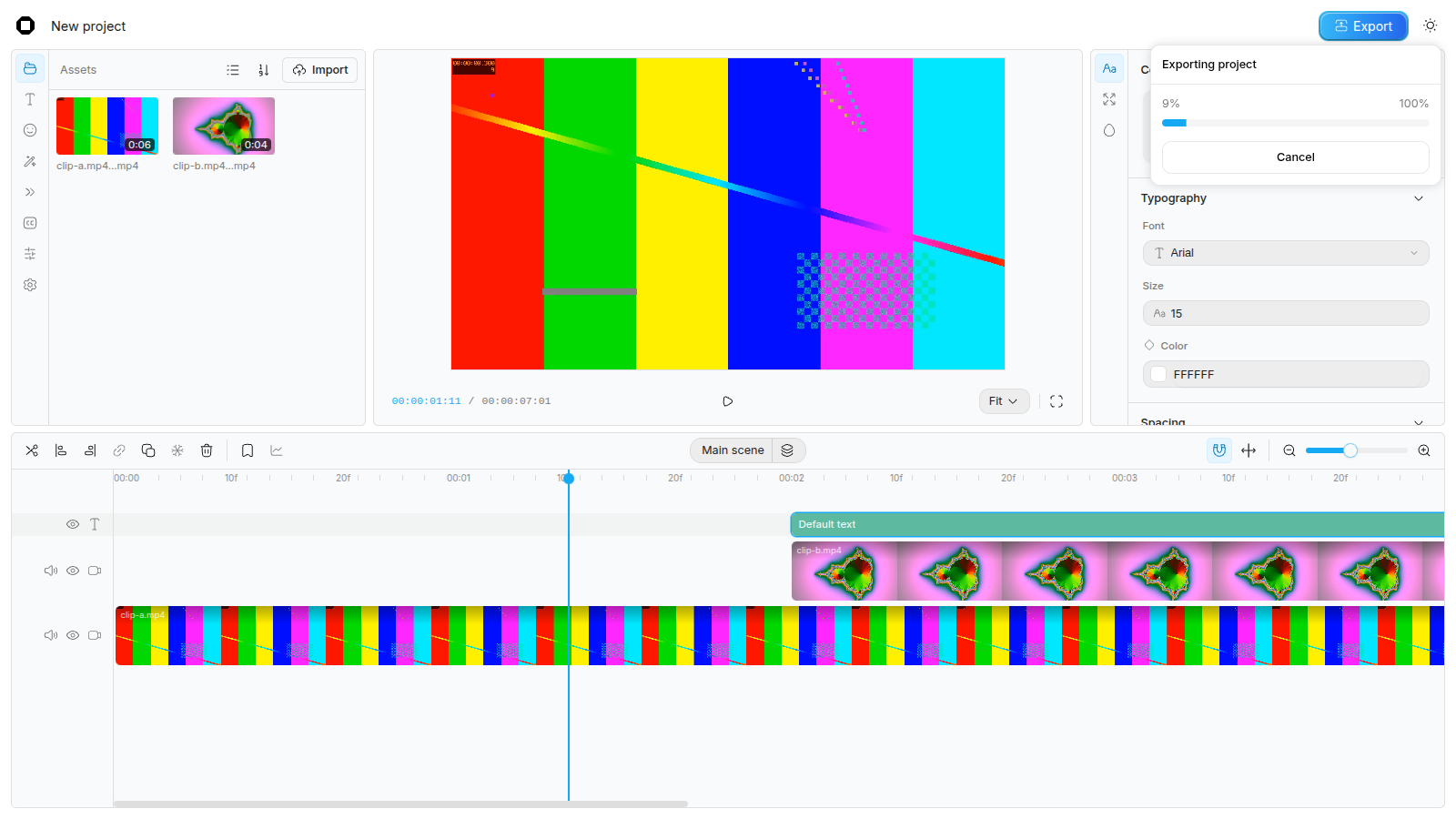
I exported my test project from opencut.app with the defaults (MP4, High, audio on). Chromium ran under Xvfb with Mesa's software OpenGL and no GPU, on a shared 16-core machine.
| Exported file | Value | Label |
|---|---|---|
| Container, video codec | MP4, H.264 High | measured |
| Size, frame rate, frames | 1280 × 720, 30 fps, 211 frames | measured |
| Duration | 7.04 s | measured |
| Audio | Opus, 48 kHz, stereo | measured |
| File size | 2,205,500 bytes | measured |
| Wall time, button to download | 184.5 s | measured |
| Per frame | about 0.87 s | reasoned |
| Against real time | about 26 times slower | reasoned |
Four things in that table come straight from the code. 211 frames is the loop's floor(duration / ticksPerFrame) at 4,000 ticks a frame, so any trailing partial frame is dropped. The canvas is 1280 × 720, not the 1920 × 1080 default, because insert-element.ts resizes the canvas and sets the frame rate to match the first video or image placed on an empty timeline. The audio is Opus inside MP4 because this Chromium build reported no AAC encoder, which is the fallback the exporter checks for. And the frame below, decoded from the file at 3 s, has the text over clip B over clip A, with no watermark on it or on the last frame.
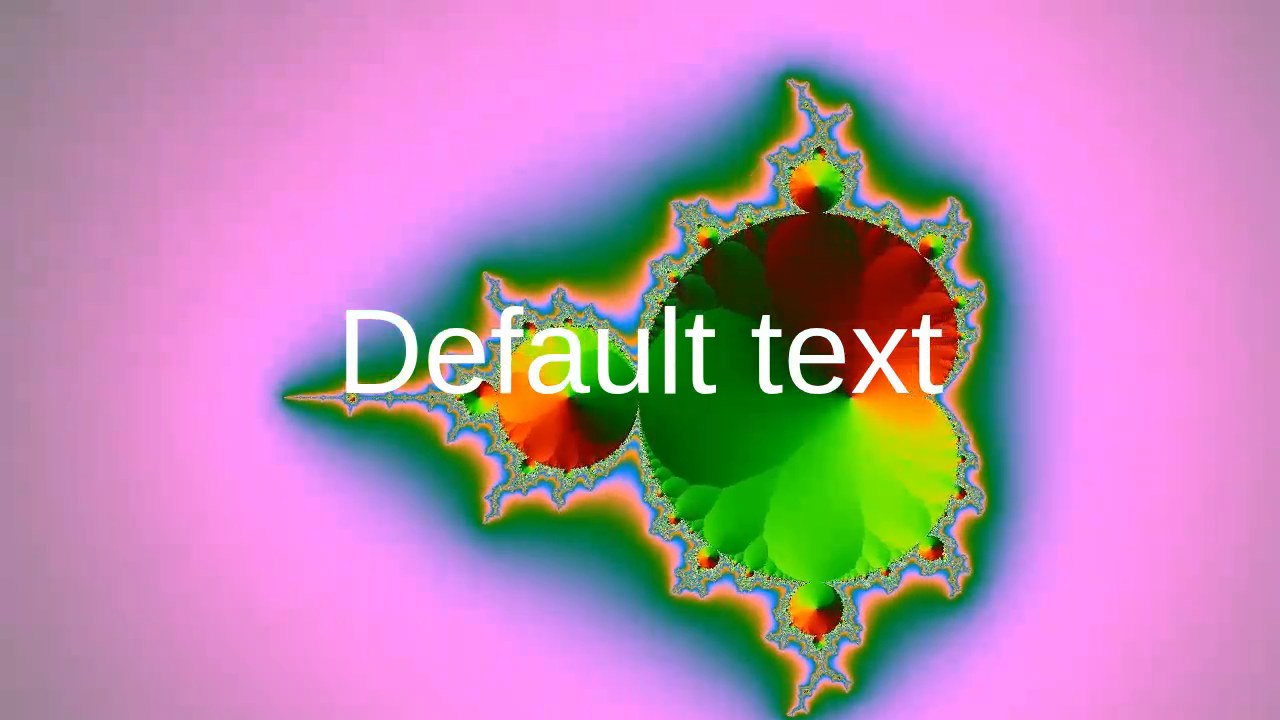
Do not read 26 times slower than real time as OpenCut's speed. My run had no GPU: the wgpu compositor ran on software OpenGL and the encoder in software. With hardware decode, encode and a real GPU it will be much faster, and I did not measure that. What the run does show is the shape of the loop. Each frame waits for the previous one to resolve, decode, composite and encode, and the whole file lives in memory until the end. A first attempt in plain headless Chromium with SwiftShader did not get that far. Adding a clip to the timeline panicked the WebAssembly compositor (RefCell already borrowed, compositor.rs) and took the page down (measured). That is my environment, not a bug report, but it shows how much of the editor rests on the GPU path.
Where the projects live
services/storage keeps project documents in IndexedDB (video-editor-projects). Imported media is copied into the Origin Private File System, one directory per project (media-files-<projectId>), with metadata in a per-project IndexedDB. The editor calls navigator.storage.persist() so the browser will not evict it under disk pressure; Firefox gets a dialog first. The schema has gone through 31 versions, each with a migration (measured, v30-to-v31.ts is the latest).
That is the private part of "your videos stay on your device", and it is real: media never leaves the browser. It is also the answer to the reply about six-month-old projects. I found no project file to save or open: the only exportProject in the tree renders video (measured, by search). A project lives in one browser profile, on one origin. Clear site data, or switch machines, and it is gone. Moving to the rewrite will mean moving out of opencut.app's storage, and nothing in either repository describes how yet.
What the AI is
The post says "AI agents". In the code that ships, the AI is captioning. services/transcription/worker.ts runs Whisper in a Web Worker through @huggingface/transformers (transformers.js), with four ONNX checkpoints from onnx-community: tiny, small, medium and large-v3-turbo, small by default (measured, transcription/models.ts). It loads weights quantised to 4 bits (dtype: "q4") and lets the library pick WebGPU or WASM. Audio goes in at 16 kHz in 30 s chunks with a 5 s stride, and the timestamped chunks become caption elements. Like the media, it all runs in the browser.
The agent story is the rewrite's MCP server, and that server does not exist yet. The README lists fal.ai as a sponsor, a generative image, video and audio API. Neither tree calls it: the classic repository mentions fal only in its sponsor list (measured). If you want models making video, see Kandinsky 6.0 Video. If you want agents producing it, one-shot launch videos and fframes, a code-first renderer that links libav directly, are both closer to that today.
The claims, checked
| Claim in the post | Verdict |
|---|---|
| Free | Holds. Both repositories are MIT (measured, LICENSE). |
| No watermarks | Holds. No mark in the exporter, none in my exported file (measured). |
| Multitrack editing | Holds for the classic editor: a main track plus any number of overlay and audio tracks. The rewrite has no timeline. |
| Plugins | Roadmap. The rewrite's README lists them as coming; no plugin API exists in either tree. |
| AI agents | Roadmap (an MCP server). Shipped AI today is Whisper captioning in the browser. |
| Automations | Roadmap (headless mode, a scripting tab). |
| Cross-platform | Partly. The classic editor is a web app, so it runs wherever a browser with WebCodecs runs. The desktop app is a window; mobile has no code. |
| 92K GitHub stars | Holds as a number: 92.9K (reported). They belong to a repository that holds the rewrite's scaffold, not the editor. |
What I would tell someone choosing it today
The classic editor is a serious piece of browser engineering. It has integer time, a typed track model, a Rust compositor that degrades from WebGPU to WebGL2, and WebCodecs decode and encode with no server in the loop. It also makes the trade every in-browser editor makes. Your project lives in browser storage. Export runs one frame at a time on whatever GPU the tab gets. The repository was archived in May, so the bugs it has now are the bugs it keeps.
The rewrite is a bet on a different shape: a Rust core with FFmpeg underneath, plugins and an agent-facing API from the start, and the same engine headless. That is the right shape for "AI agents and automations" if it lands. Today it is a README.
That is the gap the post fell into, and it is a common one. A repository's README describes the project's future. A post summarises the README. A reader assumes it describes the present. For anything that goes viral on star count, check which commit the stars are attached to. The TikTok dataset piece found the same thing from the other direction: the card is a claim, and the files are the evidence. For more on what WebGPU and WebAssembly can carry in a tab, see GTA V in a browser and Jev in the browser.