2026-10-06 · 22 min · agents · computer-use · benchmarks
Why read this
Notabletop 60%Source read of arc-driver and cua-driver: the 8x is cua-driver's one-second window poll, the 1.7x a saved model round trip, with a cost model to test it.
- Original analysis
- Runs on a laptop CPU
- Concrete numbers to act on
Agents & harnessesMITPractitioner tool
How this was scored
- Is it new?
- 1 of 3: An incremental tweak
- Can I trust it?
- 2 of 3: Measures key facts from files, code or configs
- Can I run it?
- 2 of 3: Open code or weights with real limits
- Will I understand it?
- 2 of 3: Mechanism from first principles with figures
- Can I act on it?
- 2 of 3: A concrete recipe, numbers or comparison
- Will it last?
- 1 of 3: Relevant for months
- Does it affect many?
- 1 of 3: A specialist community
- Only here?
- 2 of 3: A teardown or measurement few others did
Score 59 of 100, ranked 252 of 445 rated articles. Each question is answered 0–3 by hand, and a 3 is rare. How articles are scored
A computer-use agent on a Mac spends most of its life waiting. It waits for the model to decide, then for the app to react, then for something to tell it what the window looks like now. arc-driver is a new open-source driver that claims to cut that wait hard. Its author's post says it is faster than cua-driver on most tasks, up to 8x on some, and the follow-up adds that inside Claude Code, "with the same model and prompt, only swapping the driver", it finished real Mac tasks about 1.7x faster and was about 30% cheaper (all reported).
Those are three different numbers measuring three different things. I wanted to
know where each one comes from. Both drivers are macOS-only and I have no Mac in
this loop, so I did not run either. I read the source of both instead:
shhivv/arc-cua at commit 74ffae1 and trycua/cua at f25fe36.
- license
- MIT
- branch
- master
- tests
- 31 files
- source
- 830.3 kB
- commit date
- 2026-10-06
by size of tracked source at this commit, file counts in brackets; docs, data and vendored trees excluded
local clone, 2026-10-06 at 74ffae1 — branch, commit, commitDate, fileCount, hasTests, languages, license, licenseFile, shallow, testFileCount
shallow clone: counts describe the pinned tree, not the history
The loop a driver sits in
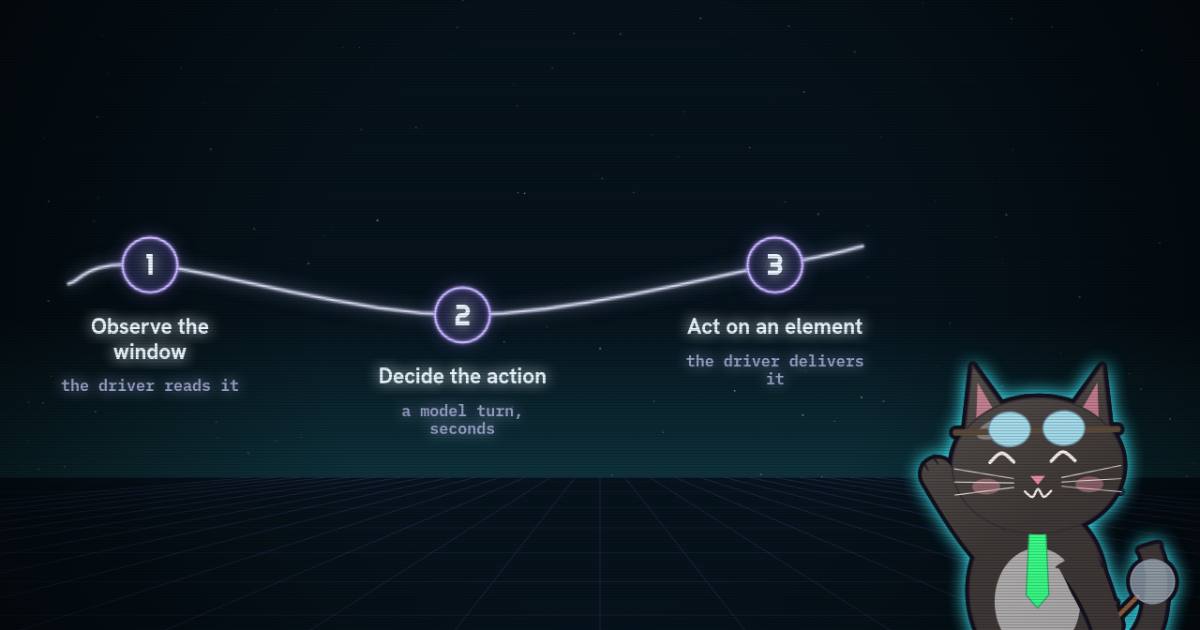
Every computer-use agent runs the same three-beat loop: observe the screen, decide what to do, act. The model only ever does the middle beat. A driver does the other two. It turns "what is on screen" into something the model can read, and turns "click the Save button" into input the operating system delivers. It also decides when an action has finished, so the next observation shows the result rather than the moment before it.
On a Mac those jobs map onto two system services. The Accessibility API
(AX) exposes each app's controls as a tree: a role (AXButton), a name, a
value, and the actions the control supports (AXPress, AXIncrement). Screen
capture gives you the pixels. Every driver is some mix of the two.
Over MCP, each beat is a tool call. Each tool call costs a model turn, and a model turn costs two things:
- Time. A frontier model takes seconds per turn. The driver's own work is usually tens to hundreds of milliseconds.
- Tokens. The model re-reads the whole conversation on every turn, then pays for whatever the tool returned.
So the time for one step is roughly
where is how many model calls one action needs, is the seconds per model turn, and is the time spent inside the driver. Cost works the same way: each turn re-reads the context, cached at a tenth of the input price, and pays full price for what is new. A driver can win on , on the size of what it returns, or on . arc-driver wins on all three, by very different margins.
Pixels or the tree
A screenshot is universal. It works on a canvas, a game or a video timeline, and it shows exactly what a person sees. It is also expensive. Anthropic's documented rule of thumb for image input is about tokens, so a 700x892 window image costs about 832 tokens (reasoned) every time it is sent. The model then has to ground a click in pixel coordinates, which is the whole problem models like Qwen-CUA are trained to solve.
The accessibility tree is text. It names the controls and says what each can
do, so a click is "press element 14" with no coordinates at all. It is blind
wherever an app does not describe itself. Canvases, custom-drawn controls and
most Chromium content are dark until the app is relaunched with
--force-renderer-accessibility. Both drivers read the tree first. They
differ in what else they send, and in when.
How arc-driver works
arc-driver is one Python package, MIT-licensed, version 0.1.1. The same repository also ships arc-cua, a decision-model loop for Jev-style action models. The driver uses none of that: no model, no API key. Your agent decides every action.
observe(pid) walks the window's AX tree and returns a snapshot. Each
element has an id, a role, a name, a value when it has one, and the actions it
offers:
{"snapshot": "s4", "window_id": 18342, "application": "Calculator", "window": "Calculator",
 "elements": [
   {"id": "ax_14", "role": "Button", "name": "7", "actions": ["CLICK"]},
   {"id": "ax_9", "role": "StaticText", "value": "42", "parent": "ax_8"}
 ]}
There are no coordinates and no image unless you ask for one
(screenshot: true). Only what is on screen is read, so a Finder list of
2,000 files becomes the visible rows. The project's docs put a snapshot at
3–26 KB (reported). The MCP server serializes it as compact JSON with no
spaces (separators=(",", ":") in mcp_server.py), and the text the model sees
is exactly the structured result, once.
To act, you name a snapshot, an element and one of its actions:
act(snapshot="s4", action="CLICK", element="ax_14"). Two details make this
more than a thin wrapper.
It checks at act time, not only at look time. The driver keeps a journal
of each app's structural changes from its accessibility notifications:
windows, sheets and menus coming or going, focus moving. If the structure
changed since your snapshot, it refuses with status changed. If the element
itself moved or changed value, it refuses with stale. Either way it hands
back a fresh snapshot to decide on. Accessibility presses go through a sheet
to the window beneath it, so this check is what stops an agent pressing
Submit under a dialog it never saw.
It settles, then looks, in the same call. Pass settle: true and the
driver counts the app's accessibility notifications. Once the count changes it
waits until it has been still for 0.15 s. If nothing changes it gives up
after 0.6 s (the app did not react). It never waits longer than 2 s.
Then it observes again and returns the new snapshot inside the action's
result:
{"status": "done", "elapsed_ms": 214.6,
 "settled": {"reacted": true, "timed_out": false, "elapsed_ms": 188.4},
 "fresh": {"snapshot": "s5", "window_id": 18342, "elements": [...]}}
That fresh field is the most important design decision in the project. The
model's next turn already has the state it needs. There is no separate
"now look" call.
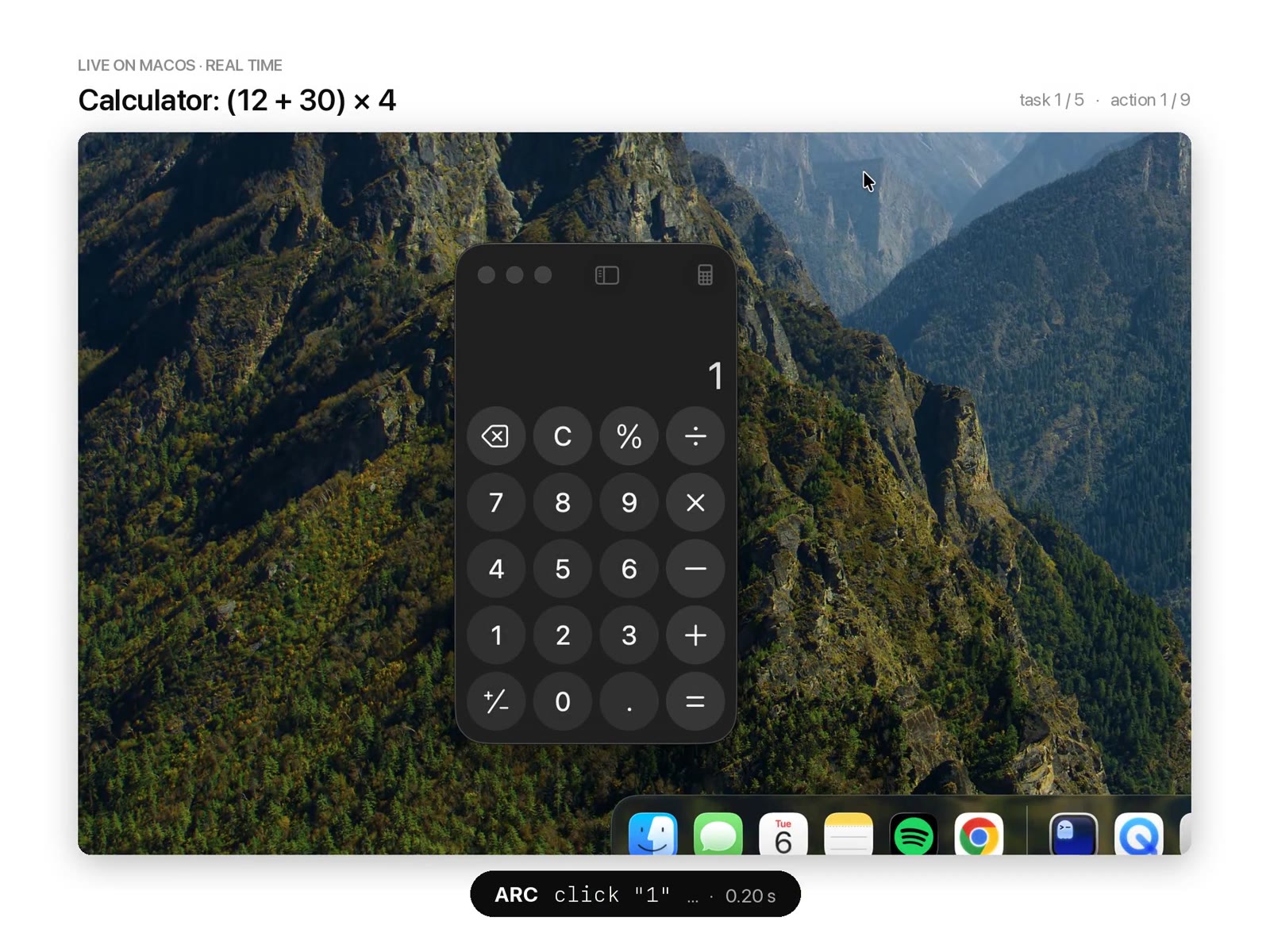
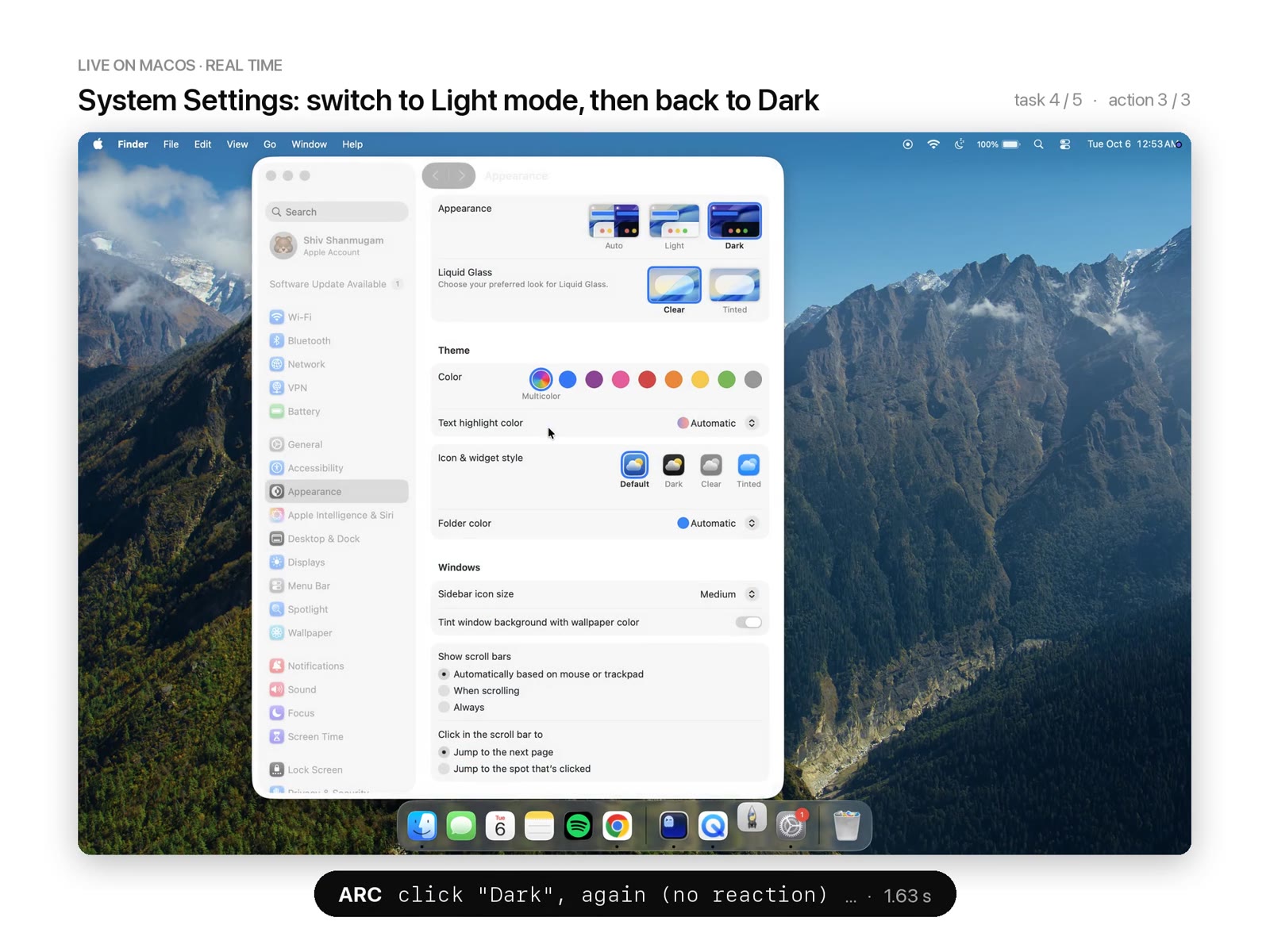
Everything happens in the background. AX presses and value writes need no input events at all. Key presses and pointer clicks are posted to the app's process with focus lent to its window for a few milliseconds. A minimized window is moved onto an invisible display for input and put back afterwards. The author's demo shows it working through five tasks while the desktop stays put:
How cua-driver differs
cua-driver is the driver from the team behind cua-s1-forms. It is a Rust daemon that speaks MCP over stdio, runs on macOS, Windows and Linux, and is much larger in scope: sessions, permission modes, recording, browser binding, an action ladder that escalates from accessibility to pixels to foreground delivery. It also reads the AX tree first. Three choices in its code explain nearly all of the measured gap.
Its observation includes a screenshot by default. get_window_state is
documented as "Always returns BOTH the element tree AND a screenshot". The
image is a base64 PNG in the tool result, capped at a long edge of 1568 px.
include_screenshot: false turns it off, but the agent has to know to pass
it, and the tool's own description tells the agent to "ground on both and cross-check".
A click waits for windows that may never come. After every click the
macOS driver runs a window-change detector. It polls the window list every
50 ms for new windows or a change of front app, with a default deadline of
DEFAULT_TIMEOUT = Duration::from_millis(1000) in
window_change_detector.rs. If the click opens a sheet, the poll returns
early. If it opens nothing, which is the common case, the poll runs to its
deadline. That is a one-second floor on almost every click.
An action result carries no window state. cua-driver's action results are
a closed contract: an effect (confirmed, unverifiable,
suspected_noop…), a route, a delivery mode, evidence and a summary.
To see what the click did, the agent calls get_window_state again. Its own
skill says so: "Observe before input and verify after it." That is a second
model turn per step.
What each driver returns, measured
I could not capture a live observation from either driver. cua-driver's
repository does ship real get_window_state outputs as test fixtures,
captured from its own AppKit harness app by cua-driver 0.28.2 on macOS 26.
They are sanitized: the screenshot bytes and the markdown tree are removed,
but the element arrays are intact. I re-encoded the same elements three ways
(measured, from examples/jev-use/fixtures/native/):
| Fixture | Elements | cua-driver elements JSON | arc-style JSON | cua-driver markdown | Window image |
|---|---|---|---|---|---|
| AppKit initial | 48 | 9,804 B | 4,604 B | 3,186 B | 700x892, about 832 tokens |
| AppKit, 24 rows | 127 | 30,505 B | 11,981 B | 7,859 B | 1300x892, about 1,546 tokens |
| WPF initial | 14 | 3,315 B | 788 B | 710 B | 464x351, about 217 tokens |
The arc-style column is my translation of each element into the fields arc's
_element() emits (id, role without the AX prefix, name, value, actions,
parent), so it is reasoned, not captured. The markdown column is a
reconstruction from format_node_line() in cua-driver's ax/tree.rs that
leaves out descriptions and identifiers, so the real one is at least this big.
The image tokens use the rule.
This table cuts against the obvious story. cua-driver's structured elements
carry screen frames, screenshot frames, depths and tokens, and are about
2.1x the size of arc's for the same 48 elements. But the text that
cua-driver puts in the tool result's content, which is what the model reads
in a client that forwards content, is the markdown tree. That is smaller
than arc's JSON: 3,186 bytes against 4,604. Per observation, cua-driver's text
is not the problem. The image beside it is, and the fact that it needs a
separate call to get either.
Checking the claims
The repository's BENCHMARKS.md compares arc-cua 0.1.1 with cua-driver 0.32.0
on one Apple M5 running macOS 26.6.2, both over MCP stdio, with arc using
settle: true. The current cua-driver is 0.34.0.
| Claim | Where it comes from | Status |
|---|---|---|
| Up to 8x | Fill a form (2 fields, checkbox, popup, submit): 1.85 s vs 14.95 s | Reported. 14.95 / 1.85 = 8.08 (reasoned) |
| Click until the call returns, 5.1x | 217 ms vs 1,109 ms | Reported. Matches the 1,000 ms poll above plus about 100 ms of work (reasoned) |
| One agent turn, click to next observation, 5.8x | 216 ms vs 1,251 ms | Reported |
| 17 of 22 measures | The head-to-head table | Counted from the table: 17 arc, 4 cua-driver, 1 tie (measured) |
| Web tasks, 63/68 vs 55/68, 5.1x geometric mean | cua-bench-basic, 13 tasks | Reported. From the per-task medians I get 5.7x unweighted and 6.0x weighted by variants (reasoned); the per-variant times are not published |
| About 1.7x faster, about 30% cheaper, in Claude Code | The thread | Reported. No task list, transcript, token count or harness is published |
Two gaps sit under every row. First, the benchmark writes its results to
output/benchmarks/, and output/ is in .gitignore: no result file is
committed, so every number is a median copied into a Markdown table. Second,
the benchmarks/ directory in the repository drives arc only, through its
Python API and through arc-cua mcp. There is no cua-driver client in it. The
harness that produced the head-to-head is not published, so it cannot be
re-run as it was.
The arithmetic that can be checked does check. The 1,109 ms click is what the code predicts: a one-second poll plus the press itself. The 8x is one row, a native form with two fields, a checkbox, a popup and a submit button, and it is the largest gap among the multi-step tasks (two single operations, typing and menu commands, show 32x). So "up to 8x" is honest as stated, and it is a driver-only number with no model in the loop.
Where 1.7x and 30% could come from
The Claude Code numbers include the model, and that changes the shape of the answer. If a model turn takes a few seconds, the driver's extra second per click is a fraction of each step, not a multiple of it. What dominates is how many turns a step takes, and how much each turn re-reads.
The calculator below runs that arithmetic. It is a model of the loop, not a measurement, and every input is labelled. The seeds come from above: arc's observation at about 1,300 tokens, cua-driver's tree at about 900 plus an 832-token image, 150 output tokens per turn, a 15,000-token cached prefix for Claude Code's system prompt and tools, and the reported driver times. Prices are Anthropic's list prices for Claude Sonnet 5.5 ($2 input, $10 output per million tokens) and Claude Opus 5.5 ($4, $20), with cache reads at a tenth and cache writes at 1.25x.
Bright segments are model time, faint ones driver time. With a few seconds per model turn, the driver’s own second per click matters less than the number of turns: a driver whose action result already contains the next observation saves a whole model call per step. Set the fresh-look share to zero and cua-driver gets cheaper than arc, because it is acting blind.
With ten actions and a three-second model turn:
- If the cua-driver agent looks after every action, the model predicts arc 2.15x faster and 47% cheaper (reasoned). It makes 21 model calls to arc's 11.
- If it looks after every other action, arc comes out 1.70x faster and 16% cheaper (reasoned).
- If it never looks, cua-driver is cheaper than arc, because it is acting blind. arc still wins on time, 1.25x, from the one-second click floor alone.
The reported 1.7x and 30% sit inside that range, in a regime where the cua-driver agent looks after most but not all actions. The model does not prove the claim; nothing published can. It does say where the claim would come from if true: fewer model calls per action, then the image tokens those calls would have carried, then the driver's own wait. A 5x faster driver gives a 1.7x faster agent because most of the agent's time was never in the driver.
Where arc-driver loses
The same table lists four measures cua-driver wins, and they are the honest cost of arc's design.
- A sheet that opens late. arc's settle ends once the first reaction has
been quiet for 0.15 s. A sheet that opens 0.3 s or 0.8 s after a click was
missed 0/5 and 0/5 by arc and caught 5/5 and 5/5 by cua-driver (reported).
cua-driver's one-second poll, the same wait that costs it on every other
click, is exactly what catches these. arc's answer is that the next action
on the old snapshot gets refused as
changed. That is safe, but the agent decides one turn late. - Electron. Reading Obsidian, arc saw 13 elements and cua-driver saw 380
(reported), because arc needs the app relaunched with
--force-renderer-accessibility. - Drag and drop. arc solved 0/5 of the web drag-drop variants, cua-driver 5/5 by moving to the foreground (reported). arc never moves the user's pointer, so an HTML5 drag is out of reach by design.
- Menu commands, until the call returns. 628 ms vs 420 ms (reported). arc runs the command through accessibility with the app in the background, and that call is slower to return, though the effect is visible in 16 ms against 508 ms.
A reply under the post asks the right question about the settle signal: the notification count covers the whole app, so an unrelated window that keeps updating can hold a finished action open until the 2 s cap. The driver docs say as much ("The count covers the whole app"). I found no benchmark for it.
The repository's own caveats are worth repeating: one run, one Mac, and arc's web support "was developed using the cua-bench-basic tasks", the same tasks it is then scored on.
What the demo video shows
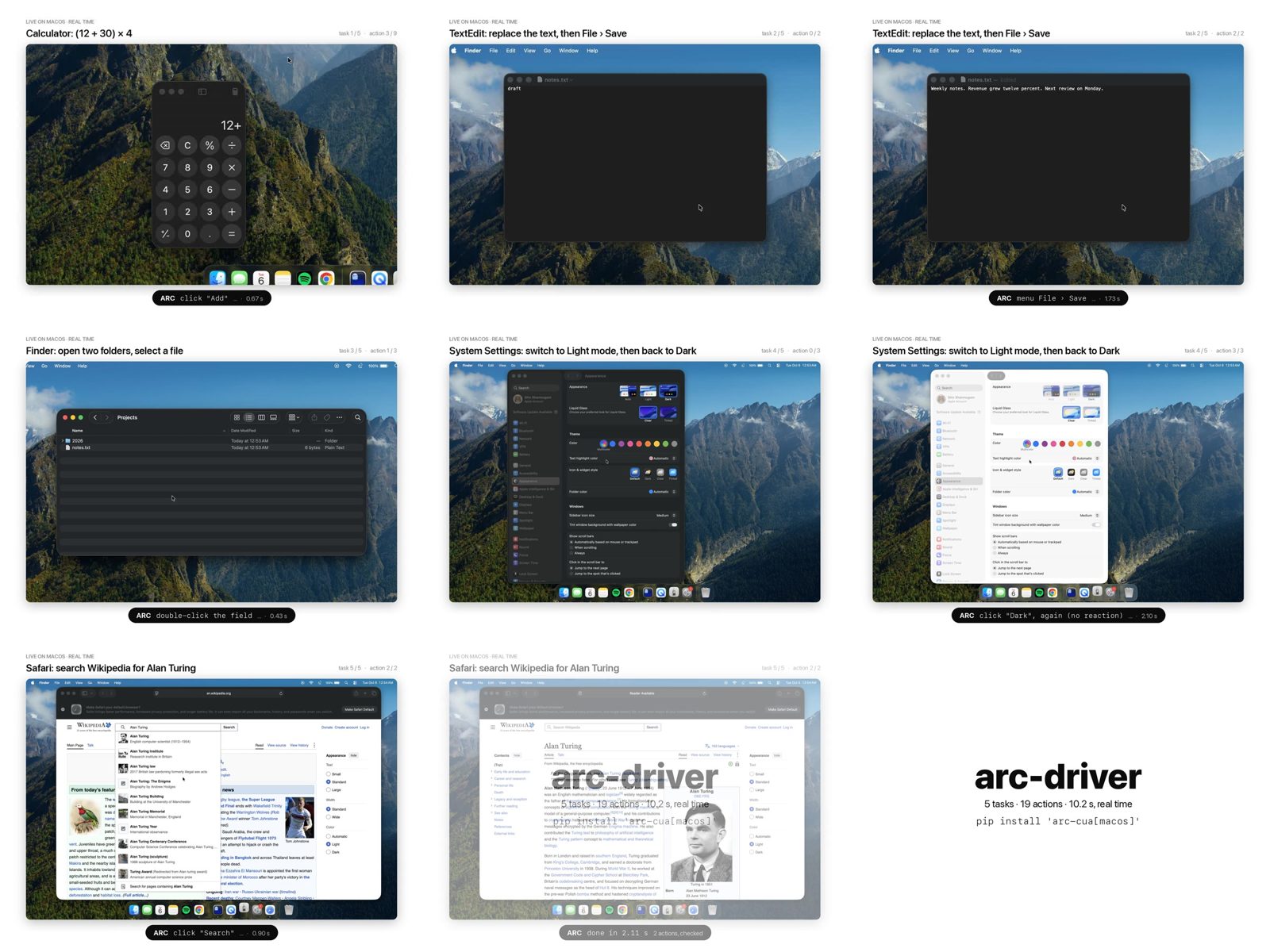
The end card's arithmetic is about half a second per action (reasoned from 19 actions in 10.2 s). That leaves no room for a frontier model turn per action, so read the video as the driver's speed, not an agent's. It matches the repository's "as an agent" workflow column, where a script settles after every action and the nine-step Calculator task takes 2.1 s (reported).
Update: Cua's six cursor motions
On the day this went up, Cua announced six new agent cursor motions for cua-driver. Their thread says they "studied how people aim a mouse, built 82 motions in a playground, and kept the best six" (reported). This matters for the comparison above, and not because of the looks: on macOS, cua-driver waits for its cursor to arrive before it clicks.
The cursor in question is not the system pointer. It is a click-through overlay that cua-driver draws to show where its agent is acting, while the user's own pointer stays put. arc-driver has nothing like it. The six styles are:
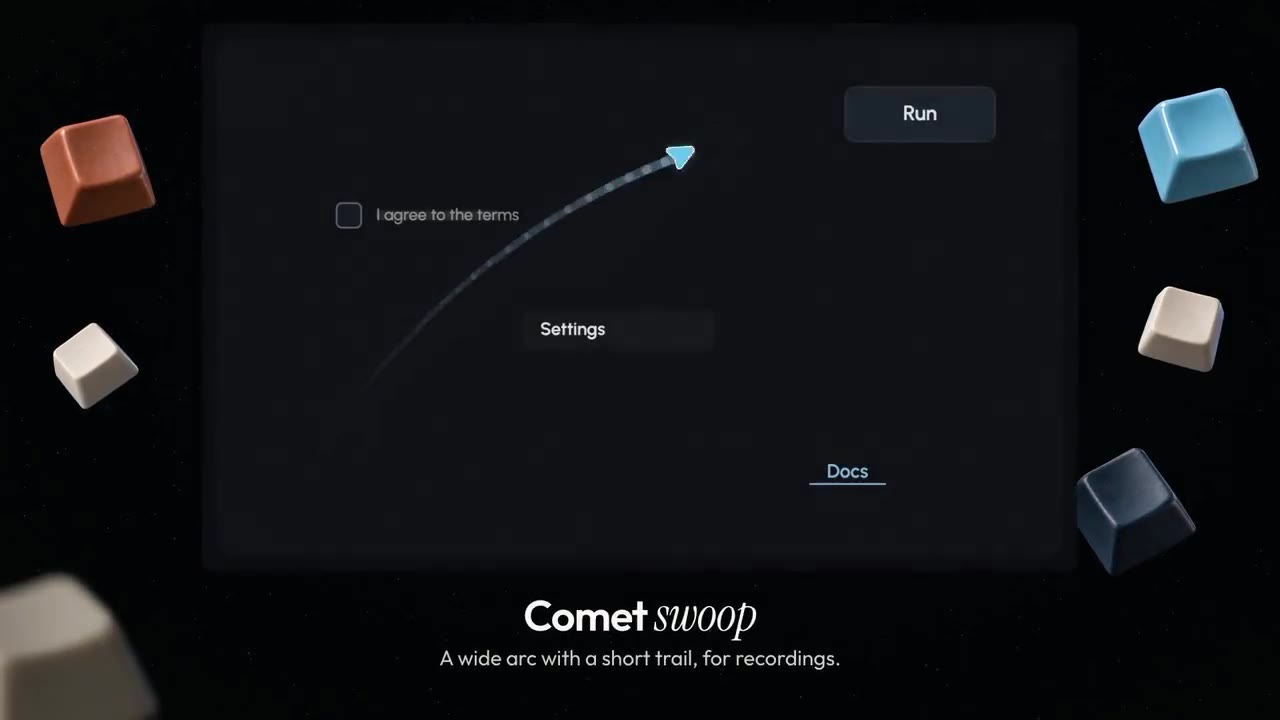
signature_arc, the new default: one arc with a small follow-through, a glow that grows with speed, and a squish and ripple on the click.spring_settle: lands with one soft bounce.magnetic: the target pulls the cursor in and glows.comet_swoop: a wide arc with a short trail, made to be followed in a recording.adaptive: careful on small targets, a quick sweep on long moves.classic: the previous motion, kept as an option.
How they are built
All of this is one commit, 5e5370f ("six agent cursor motion styles"),
which is already inside the f25fe36 snapshot I read for this article and
ships in cua-driver 0.34.0. Before it, each platform ticked its own
Dubins-path glide, and macOS hard-coded its constants (peak speed 900 pt/s, a
spring constant of 400). Now there is one engine,
cursor-overlay/src/trajectory.rs. It plans each move once, as a list of
samples at 120 Hz. Each frame then advances a clock and interpolates between
two samples, so every platform plays the same motion at any frame rate.
The styles are Rust ports of a JavaScript motion lab that stays in the
repository (tools/cursor-gallery/motion-lab/) as the design source. Golden
tests check that the Rust trajectories match the lab's for the same random
seed. The "how people aim a mouse" part shows in the lab's candidate names:
Fitts min-jerk, lognormal strokes, Meyer's two-component model. Those are the
standard models from motor-control research. The shipped styles keep two of
those ideas:
- Duration follows Fitts' law. The three arc styles take
ms, clamped to 300–1000 ms, where is the
distance and the target's smaller side. That is then scaled per style:
×1.1 for
signature_arc, ×1.15 forcomet_swoop, ×1.35 forspring_settle. To make this work, the click now passes the target element's screen rect along with the move. - The path is a min-jerk ease along a curve. It is a cubic arc, with a
bump for the follow-through or a damped wobble for the bounce.
magneticis a small physics loop instead: it cruises, then accelerates once it is within 40 pt of the target.
timing can override the native duration with fitts or fixed. Reduced
motion, taken from the system setting by default, swaps every style for a
120 ms straight glide.
Does it change the timing comparison?
It can. In platform-macos/src/tools/click.rs, the click tool calls
animate_cursor_to_target(...).await before it fires the accessibility
press. That function sends the move to the overlay and then blocks until the
render thread reports that the cursor has arrived, with a timeout of 8 s. The
overlay is on by default in the daemon that MCP clients talk to. The only ways
around the wait are to disable the overlay (--no-overlay) or hide the
session's cursor.
The commit's own note says "Arrival fires when the hotspot reaches the target, so follow-through and settle play during the click." So the wait is the time to arrival, not the whole animation. I ported the timing functions to Python, my own code and not theirs, and computed that arrival time for a default 24 pt target. A sample counts as arrived once it is within 1 pt of the target, as in the code:
| Move distance | signature_arc | spring_settle | comet_swoop | magnetic | adaptive | classic |
|---|---|---|---|---|---|---|
| 50 pt | 322 ms | 274 ms | 331 ms | 142 ms | 261 ms | ~100 ms |
| 300 pt | 578 ms | 488 ms | 632 ms | 467 ms | 572 ms | ~617 ms |
| 1000 pt | 805 ms | 673 ms | 870 ms | 942 ms | 658 ms | ~2,042 ms |
All of these are reasoned, from the code at f25fe36, not measured on a Mac.
The classic column follows the speed profile along a straight line. The real
Dubins path curves, so classic is a lower bound. Read across the table and
the new default is slower than the old glide on short hops (the 300 ms
floor) and much faster on long ones. Cua's own side-by-side shows the long
case:
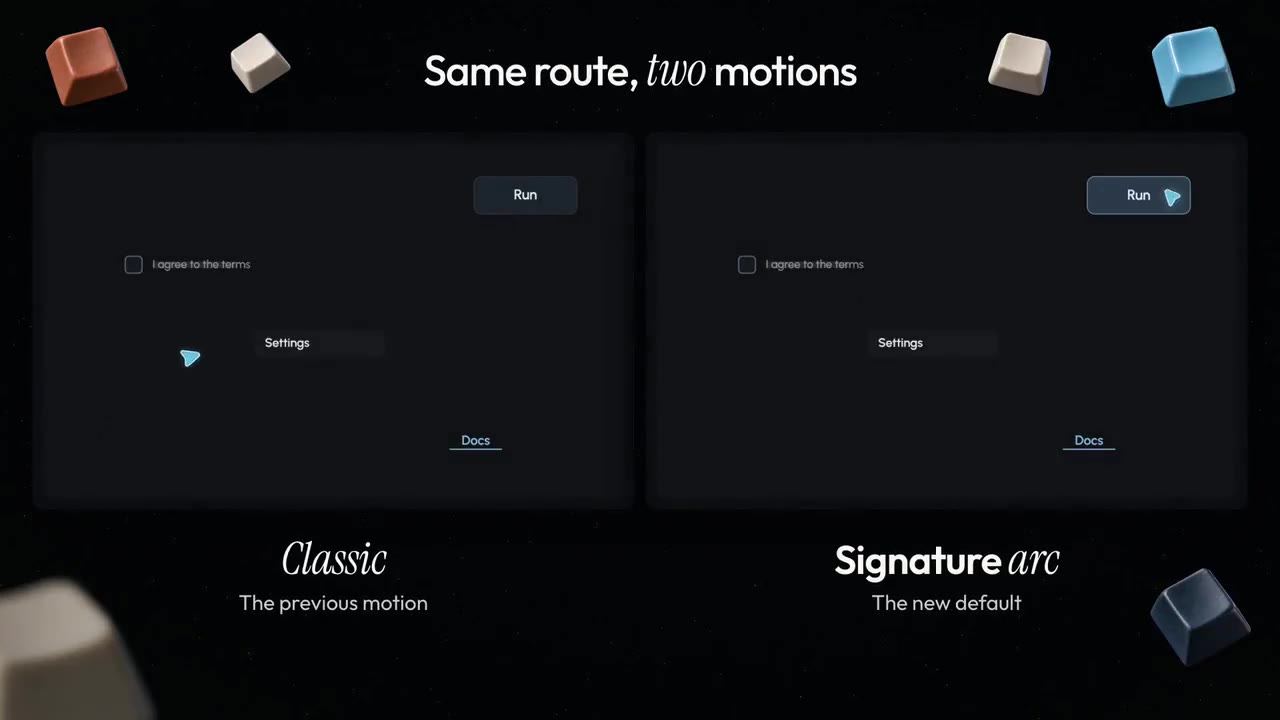
Now hold that against the benchmark. The head-to-head ran cua-driver
0.32.0, which predates these motions. Its click took 1,109 ms, which this
article explains as the one-second window poll plus about 100 ms of work. That
leaves almost no room for a glide, so in that run the cursor either had nowhere
to go (repeated clicks on one button cost nothing to reach, since a
zero-distance move arrives at once) or the overlay was off. BENCHMARKS.md
does not say which (reasoned). The published numbers are not affected by this
release.
A re-run against 0.34.0 with the overlay on would add roughly 0.3–0.8 s to
every click that moves the cursor a real distance with the default style, on
top of the one-second poll (reasoned, from the table). In the agent-loop
arithmetic above, that is up to a quarter of a three-second model turn. It is
small next to a missing model call, but it is not nothing. arc-driver pays no such
cost because it draws no cursor. For a fair driver benchmark, set
--no-overlay or reduced motion; for a demo a person watches, the glide is the
point. It is a deliberate trade: cua-driver spends time making its agent
watchable, and on macOS that time is inside the tool call.
What I'd take from it
The useful idea in arc-driver is not that it is fast. Plenty of drivers are
fast when nothing waits. It is that the action result is the next
observation. An agent loop pays per model turn, in seconds and in re-read
context, and a driver that returns a settled snapshot from every action
removes a turn from every step. The changed/stale refusal is what makes
that safe: an action decided on an old view is not performed.
cua-driver chose the other side of each trade on purpose. It waits a second for windows, so a late sheet is seen. It sends an image, so the agent can ground on pixels when the tree lies. It keeps action and verification separate, so an action fact is never mistaken for task success. Those are good reasons. They cost a turn and an image per step, and on a Mac app whose tree is good, that is most of the bill.
If you run an MCP computer-use agent on macOS, the cheap experiment is not to
switch drivers. It is to count your model calls per action. If it is two, a
driver that settles and returns state in one call is worth trying, and
include_screenshot: false on observations that do not need pixels is worth
trying today.
For the wider picture: the agent harness piece covers the loop around the model, WindTunnel's WebMCP board shows the same interface-versus-model split for the web, and where to use Jev covers the decision-model half that ships in the same arc-cua package.